
LinkedIn is far more than just a job board; it’s a powerful engine for personal branding and business development. As competition intensifies and algorithms get smarter in 2026, specialists need a comprehensive LinkedIn strategy. This guide will show you how to leverage LinkedIn to stand out, attract clients, and secure lucrative contracts.
Part 1: Optimizing Your LinkedIn Profile
Your fully completed profile is your 24/7 digital representative. A professional, keyword-rich profile boosts your search visibility and assures potential clients that you are the right expert for their needs.
Here are the key sections to perfect.
Headline: This is the first thing people see beneath your name. It must succinctly communicate who you are and the value you deliver.
Example: “B2B SaaS Content Writer: Elevating Landing Page Conversion Rates by 30% for IT Startups.”
Include your specialization, target audience, and the quantifiable result you provide.

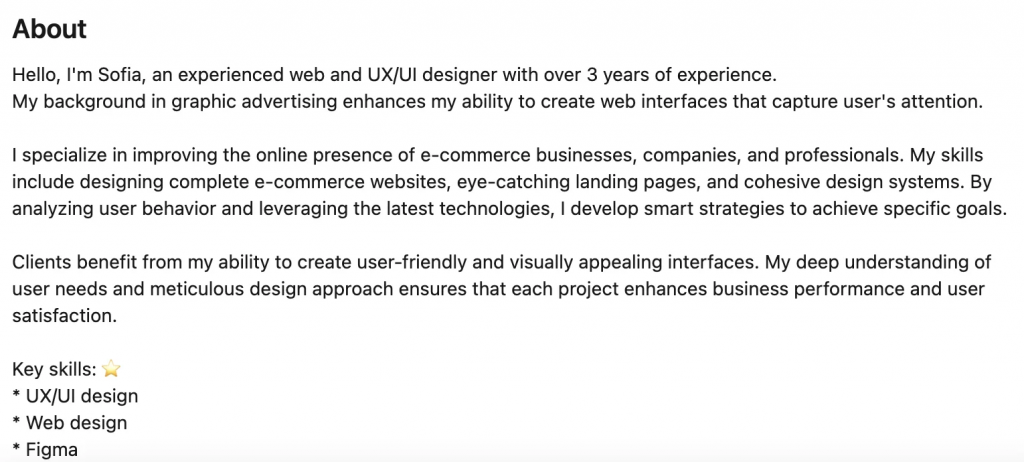
About Section (Summary): Use this space to tell your professional story, highlight your expertise, and explain your unique value proposition.
Crucially, integrate keywords that your ideal clients are likely to search for (e.g., Lead Generation, Data Analysis, UX Design).
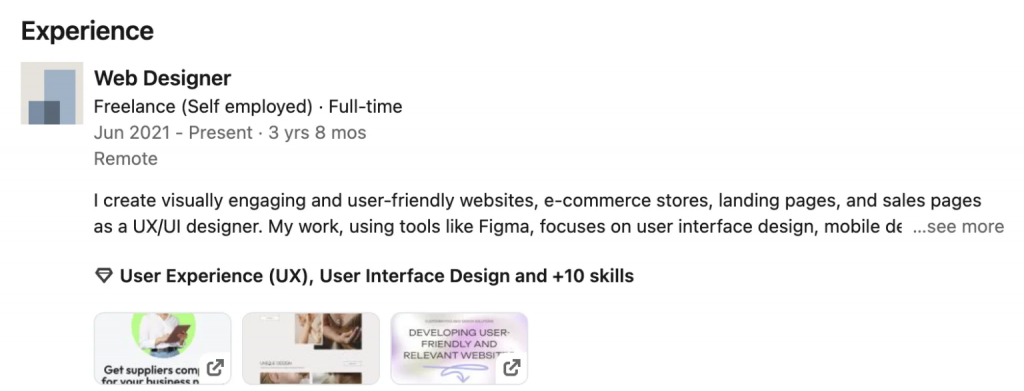
Experience: Go beyond a list of responsibilities. Focus on measurable achievements and results.
Example: “Developed a comprehensive content strategy for a SaaS product that resulted in a 40% increase in organic traffic.”
- Featured: This is prime real estate to showcase your best work. Pin important posts, case studies, links to your portfolio, or media mentions.
- Skills & Endorsements: Add 5–10 of your core competencies. Proactively ask clients or former colleagues to validate (endorse) your skills. Endorsements add credibility.
- Connections: Your network on the platform. The more relevant, high-quality connections you have, the greater the reach of your posts and your overall visibility.
Part 2: LinkedIn Strategy For Finding Clients and Jobs
While the standard “Jobs” section is useful, smart specialists use LinkedIn’s search functions to find fresh opportunities and connect directly with decision-makers.
Using the “Jobs” Section
The “Jobs” section allows you to filter listings by keyword, role level, company, and location (including Remote).
- Set up Job Alerts for your target search queries.
- Filter by employment type, seniority level, and industry.
- Check the “Connections” filter to see if any of your contacts work at the hiring company and request an internal referral.
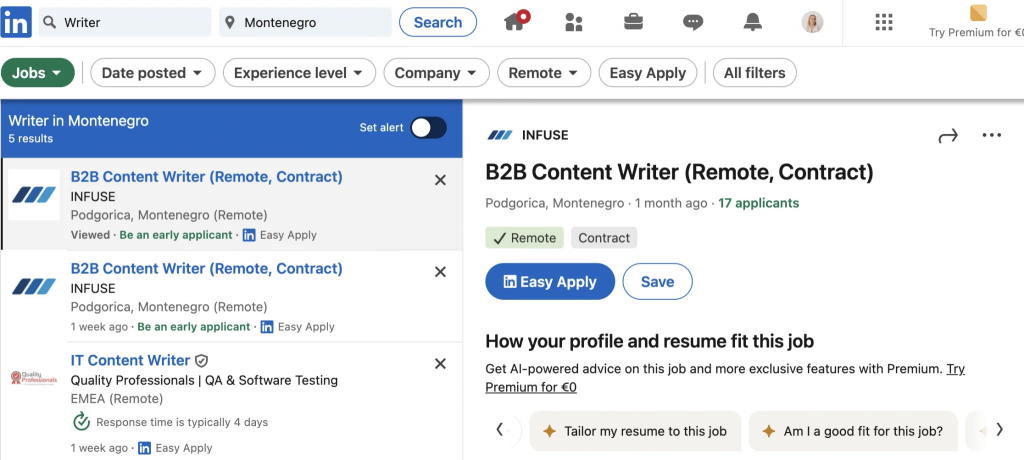
Finding Opportunities via Posts (The Hidden Job Market)
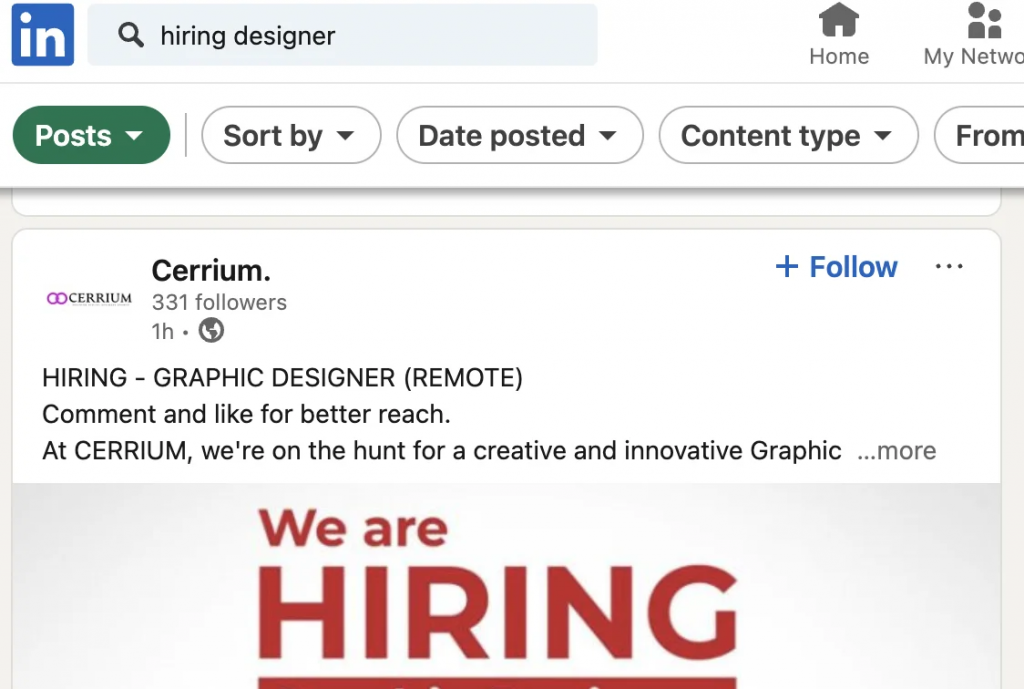
Hiring managers and recruiters often post openings directly to their feed before or instead of listing them in the “Jobs” section.
- Use the main search bar and filter the results by “Posts.”
- Search for key phrases like: “We’re hiring,” “seeking a consultant,” “looking for a content expert,” or “freelancer wanted.”
- Filter results by date to ensure you are seeing the most recent posts.
- Immediately comment on the post offering your services, or send a personalized direct message to the author with a link to your profile and portfolio. This gets you in front of the employer fast.
Part 3: LinkedIn Strategy For Connecting and Relationship Building
You need to “warm up” your connections to turn them into clients.
Finding Your Ideal Client
Use LinkedIn’s people search filters strategically:
- Keywords: Search for specific roles (e.g., “SaaS Marketing Manager,” “Head of Product”).
- Filters: Narrow down by location, company size, or current job title.
- Groups: Join professional industry groups and actively participate in discussions to increase your visibility among peers and potential buyers.
Sending a Connection Request
- Find a person who matches your ideal client profile.
- Send a personalized connection request. Do not use the default message.
Example: “Hi [Name], I noticed your recent post about [Topic] and deeply align with your perspective. I’d be happy to connect and discuss [Industry Topic].” - Follow-Up: Once they accept, send a concise welcome message that offers value.
Example: “I noticed your company website could benefit from [specific improvement, e.g., a clearer CTA]. I’m happy to show you some examples of how I’ve helped others.” - Nurturing: Engage with their content. Comment, share useful information, and then subtly introduce your services when appropriate.
Note: Free LinkedIn accounts are limited in the number of personalized invitations you can send per month. For the non-personalized requests, always interact with the person first (like a post, leave a comment) before sending the invite.
Part 4: LinkedIn Content Strategy
Content is your most powerful tool for showcasing expertise and attracting inbound leads. Active, consistent posting yielded me 3 new client contracts in my first month on LinkedIn with only 400 connections.
The 2026 algorithm rewards original, valuable, and engaging material. The more you post, the higher your reach and the better your chance of landing a client.
Your content should reflect your values, experience, and unique voice.
Focus on topics that answer your target audience’s questions or solve their industry-specific challenges.
Content Formats for Client Attraction:
- Case Studies: Detail how you helped a client achieve a specific result. Use concrete numbers and metrics.
- Actionable Tips/Tutorials: Share valuable, niche knowledge your audience can immediately apply.
- Stories: Write about your professional wins, failures, and lessons learned. This builds relatability.
- Industry Trends: Discuss and analyze hot topics and news within your niche.
Use images or short videos—they get significantly more attention. Post carousels (slide decks) as PDF documents; they have excellent organic reach.
It’s a good idea to add polls or open-ended questions at the end of your posts to drive discussion and engagement.
Part 5: Analytics and Tools for Scaling
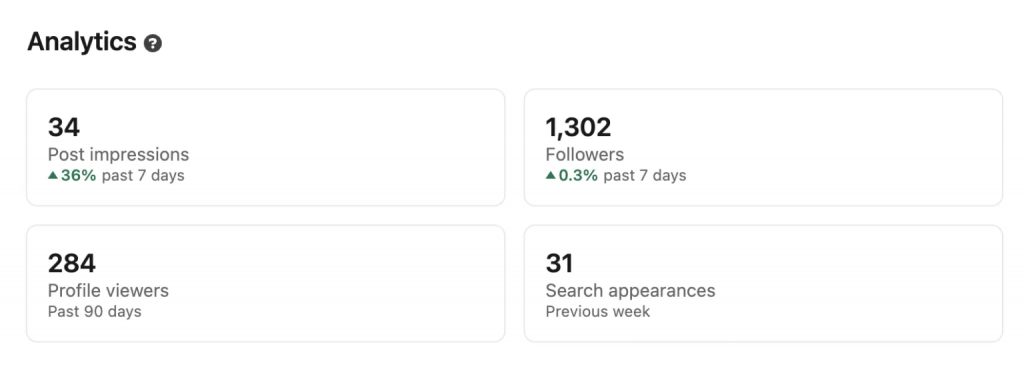
Regularly analyzing your performance is key to knowing what resonates. LinkedIn Analytics provides crucial data points:
- Profile Views: See who is checking out your profile.
- Content Engagement: Which posts are getting the most comments and shares?
- Acceptance Rate: Track which connection request messages are most effective.
Essential LinkedIn Tools
| Tool | Purpose |
| Taplio | Content idea generation, scheduling posts, and performance analysis. |
| Easygen | Chrome extension with templates for writing high-engagement, LinkedIn-style posts. |
| Shield | Advanced, in-depth analytics for your profile and content performance. |
| LinkedHelper | Automation tool for outreach, connecting with targeted people, and sending cold messages. |
| Canva | Tool for quickly creating high-quality visuals and infographics for your posts. |
| Zopto | Sales automation tool for client searching and message sequencing. |
Part 6: Staying Ahead of 2026 Trends
Your successful LinkedIn strategy must include adapting trends and staying on top in your industry. Make sure you use these 2026 trends:
- AI Integration: Utilize AI tools to help analyze profiles, generate content outlines, and automate routine tasks.
- Vertical Video: LinkedIn has boosted the visibility of short, vertical videos. Repurpose your Reels and Shorts here for increased reach.
- Collaborations: Host joint live streams, webinars, or projects with other experts or clients to tap into new audiences.
Focus on a high-quality profile, active audience interaction, and creating valuable content to ensure your success in 2026 and beyond.